
Product update | April 23, 2026
Free surface now
Invoice setup, draft capture, and guided invoice data entry can lead the public product.
Trust flows visible
Address resolution, extra login methods, passkeys, and privacy controls are shown in the app.
Public development
Provider testing, release notes, and technical docs remain available while licensing progresses.
PaySmart
A clean product path for invoices first, then licensed payments. PaySmart can offer free invoice setup while license acquisition continues, with address verification, identity, live FX, account control, and provider testing shown in public development.
Free invoices first public surface
Address checks product-ready flow
Passkeys account protection
Payments license-dependent
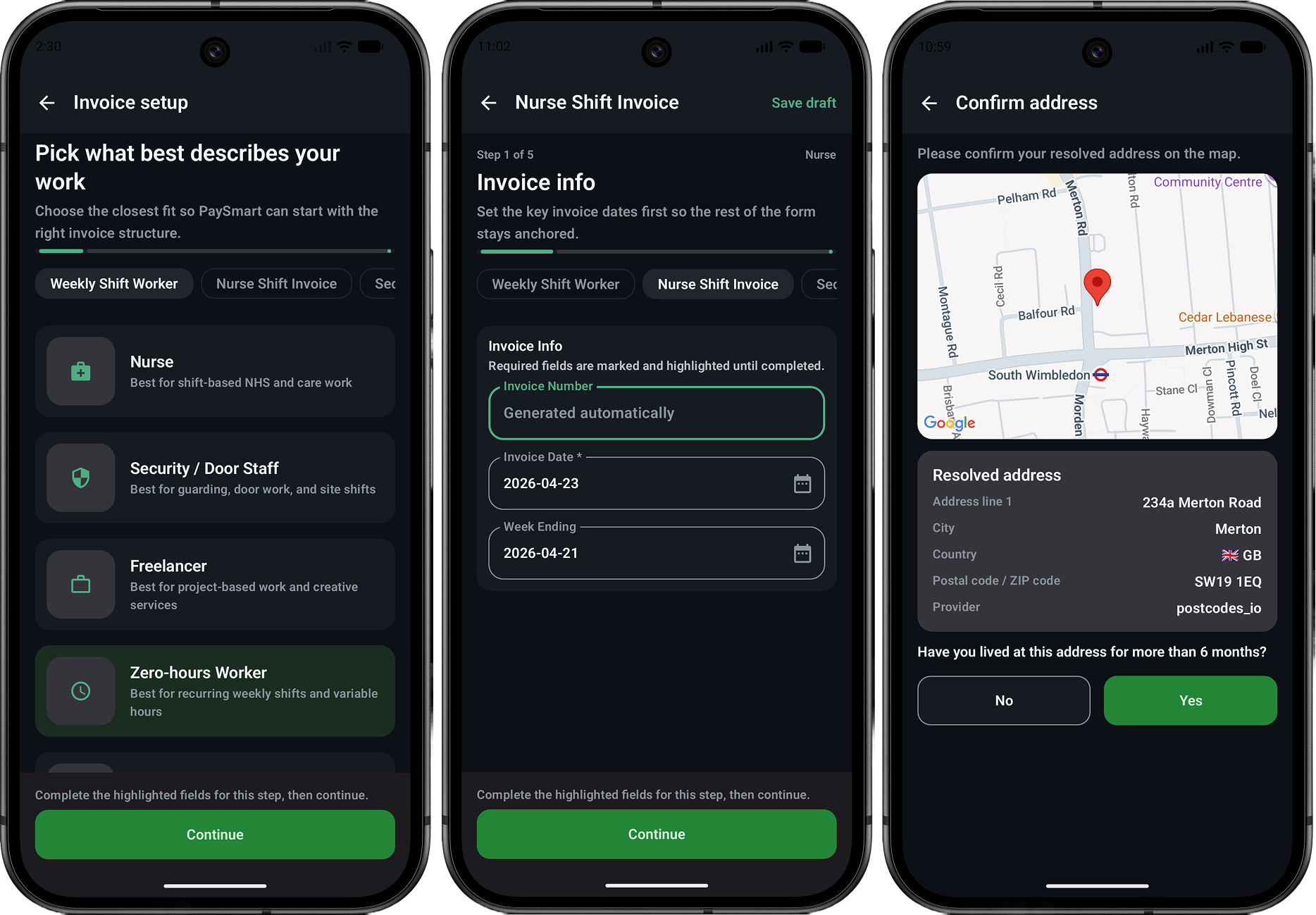
Free invoice tools sit at the top
Invoice creation is the clearest free product surface PaySmart can offer while license acquisition is in progress. The page now leads with the invoice setup path before regulated payment features.
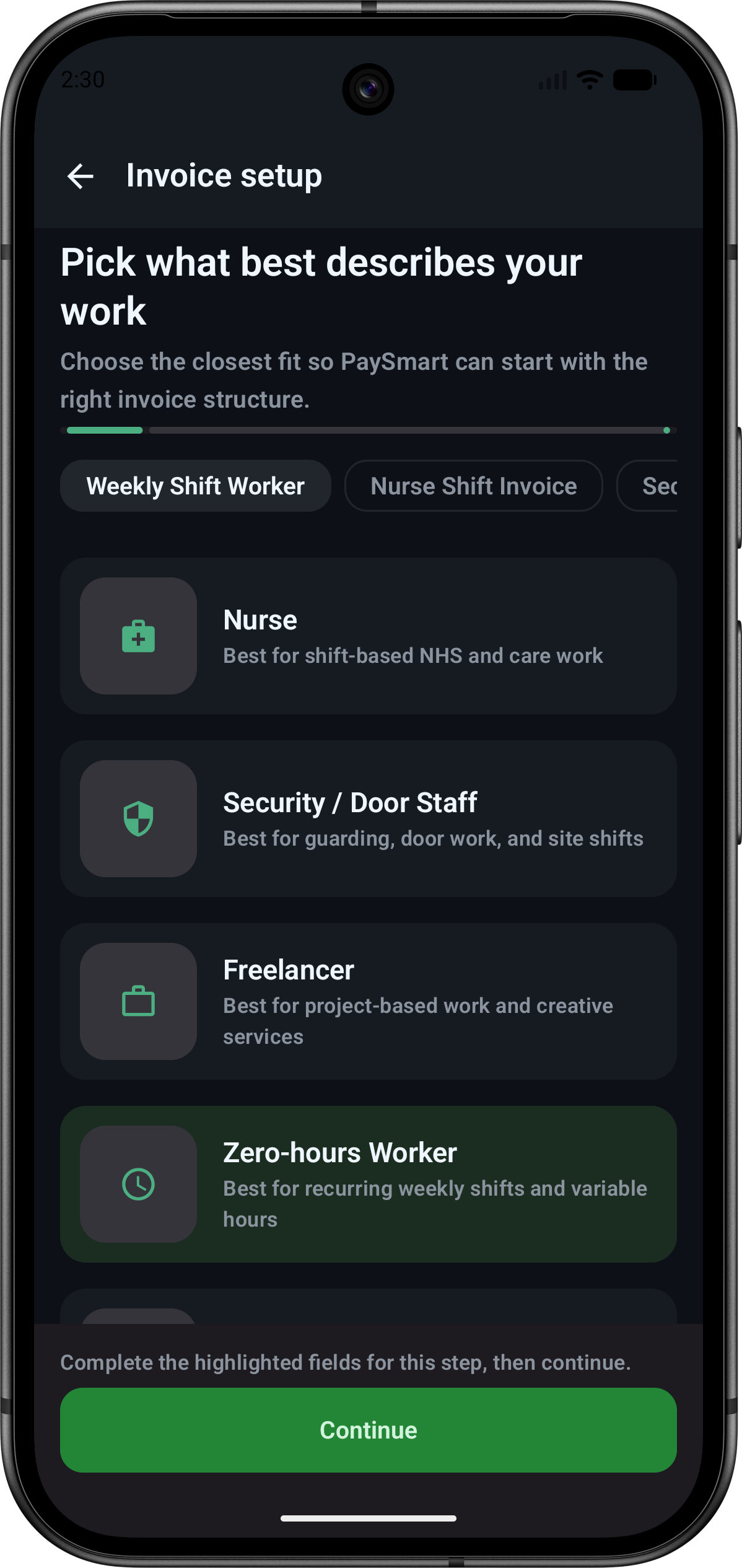
Invoice setup
Pick the right invoice type
PaySmart starts with work type selection so the invoice can match nurses, security staff, freelancers, and zero-hours workers without asking for licensed payment permissions.
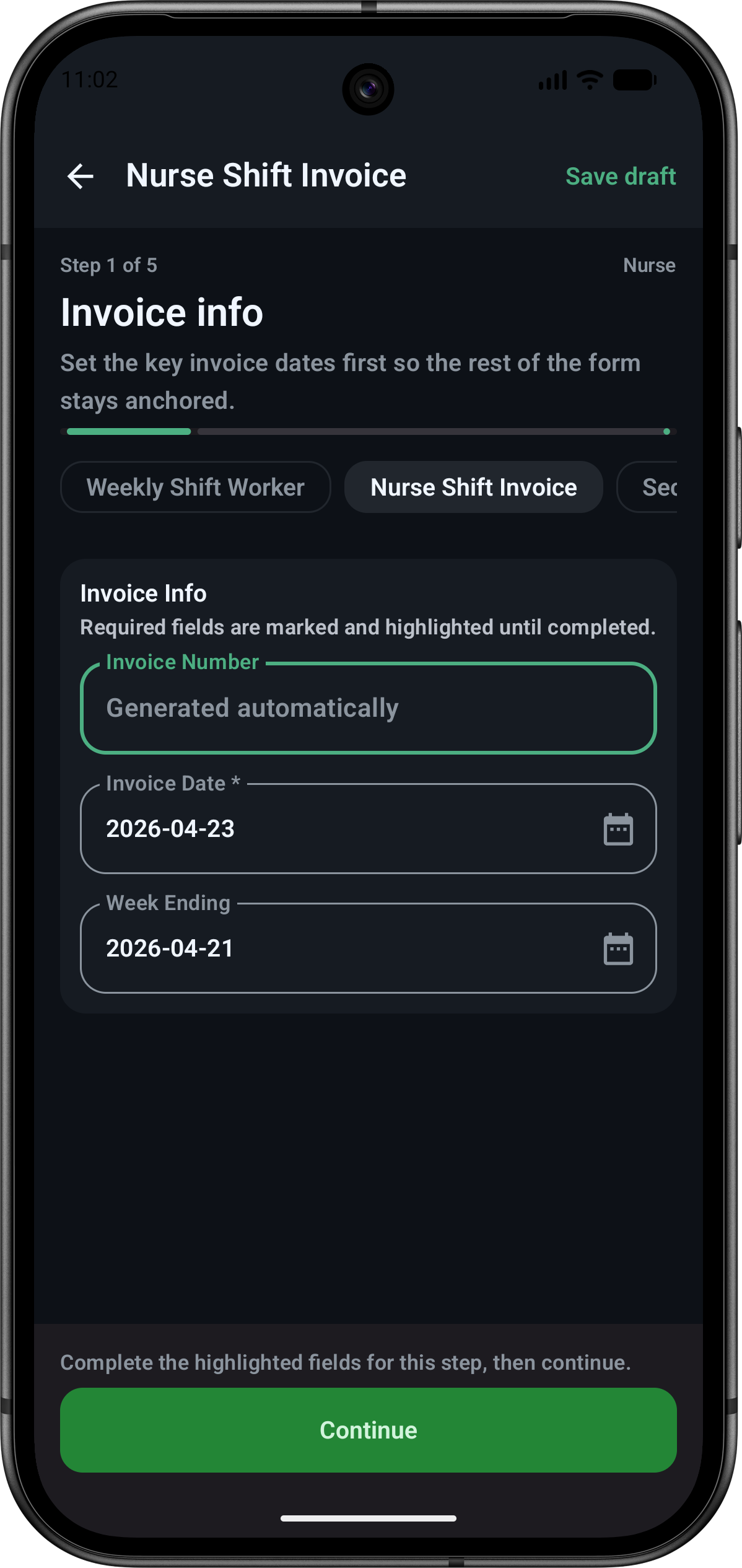
Invoice draft
Structured invoice capture
The invoice flow captures dates, draft state, and required fields in a guided mobile form that can stand on its own as a free utility.
Ship useful value before licensed money movement
The public page should make invoices the first promise: create, save, and structure invoices for free. Payment initiation, wallets, and funding accounts remain presented as development work until licensing and provider readiness are complete.
- Lead with free invoice setup and draft progress
- Keep payment language tied to testing and licensing
- Use real app screens instead of abstract dashboard art
Address verification gets its own product section
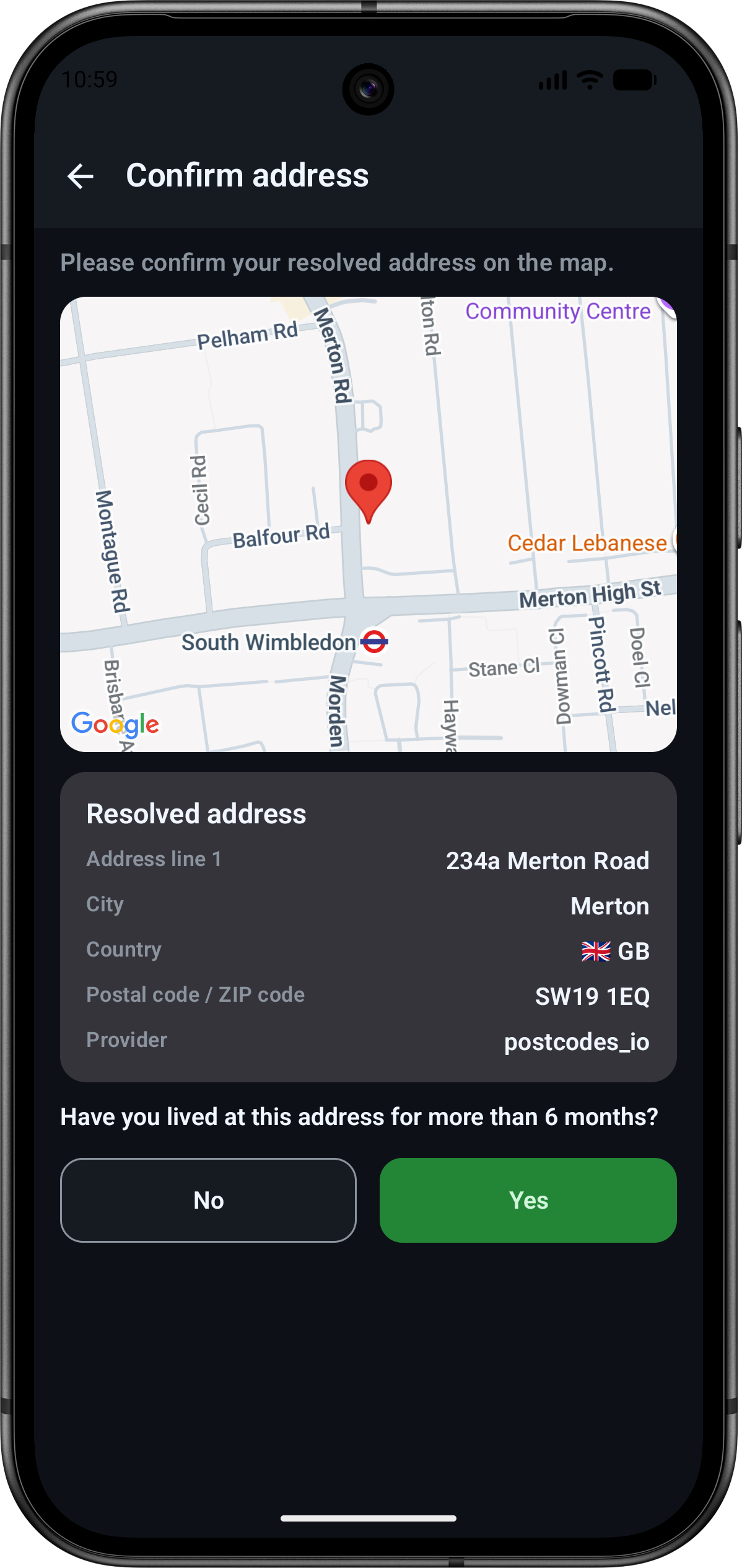
Address verification is a trust surface, not just a settings detail. The map confirmation screen shows how PaySmart resolves an address, asks for user confirmation, and records residency context.
Address verification
Confirm the resolved address on a map
The map, resolved address card, country, postcode, provider, and residency question make the verification step understandable before account limits or payment access depend on it.
Make verification progress inspectable
This section separates address verification from payments so reviewers can see what is built, what data is shown to the user, and where regulated access decisions will later connect.
- Resolved address details are visible before confirmation
- Map context supports user review instead of silent matching
- Residency answers can become part of future eligibility checks
Account access and invoice productivity
Current profile, authentication, client, and work-tracking screens show the product foundation around professional invoicing.
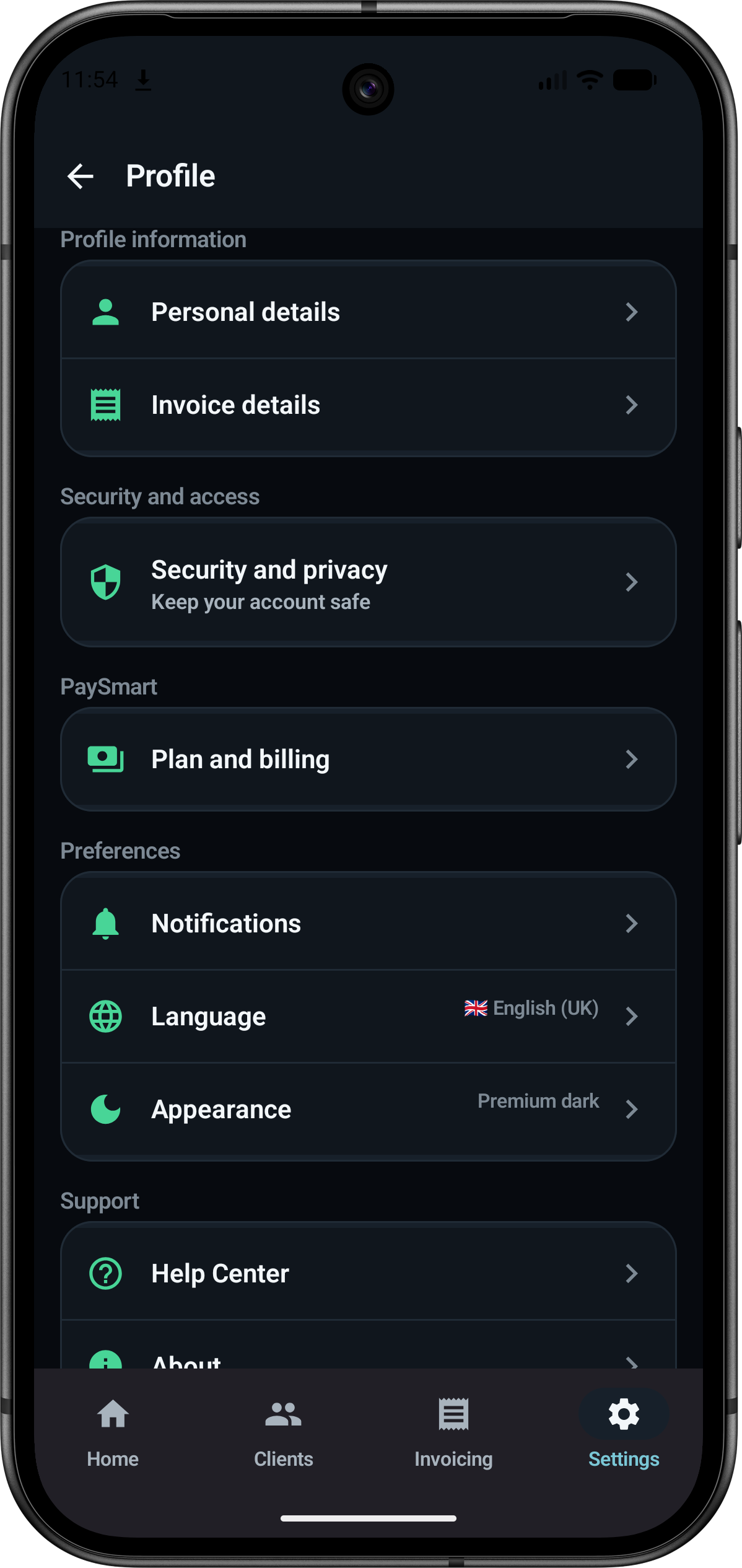
Profile
Profile and invoice settings
Personal details, invoice details, security, billing, notifications, language, and appearance are organized in one account surface.
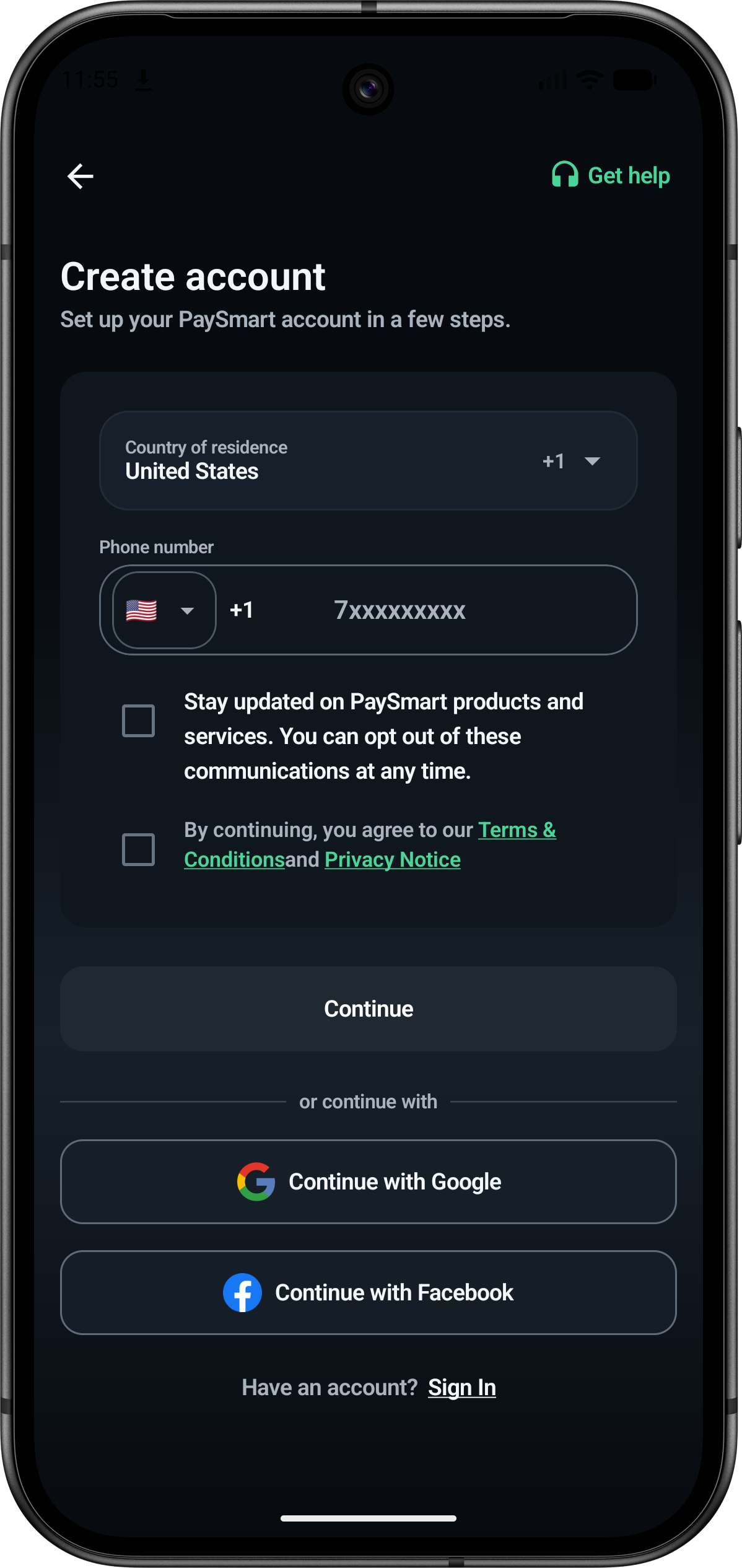
Create account
Phone or federated signup
New users can start with a phone number or choose Google or Facebook while keeping terms and communication consent explicit.
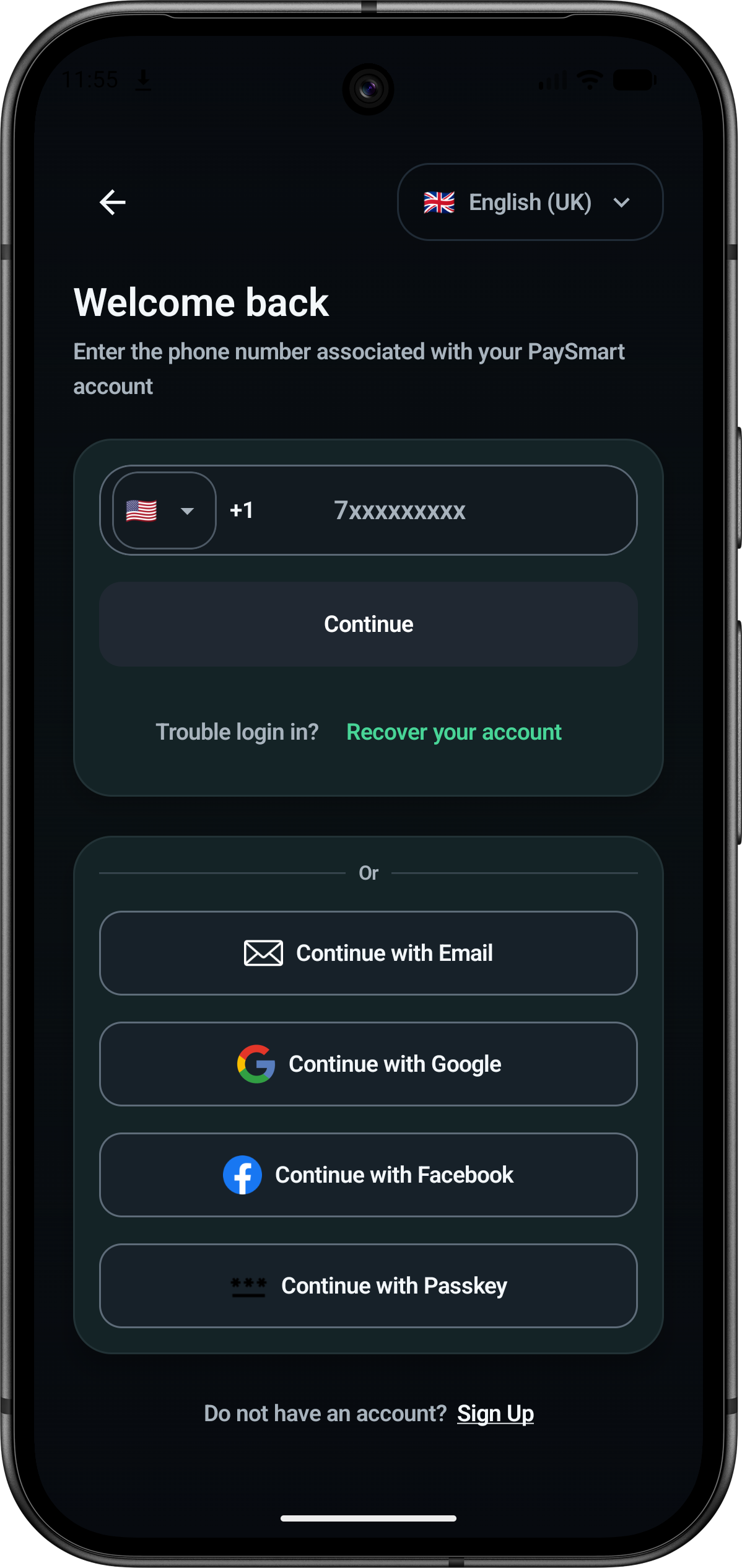
Sign in
Flexible account access
Returning users can sign in by phone, email, Google, Facebook, or passkey and reach account recovery from the same focused screen.
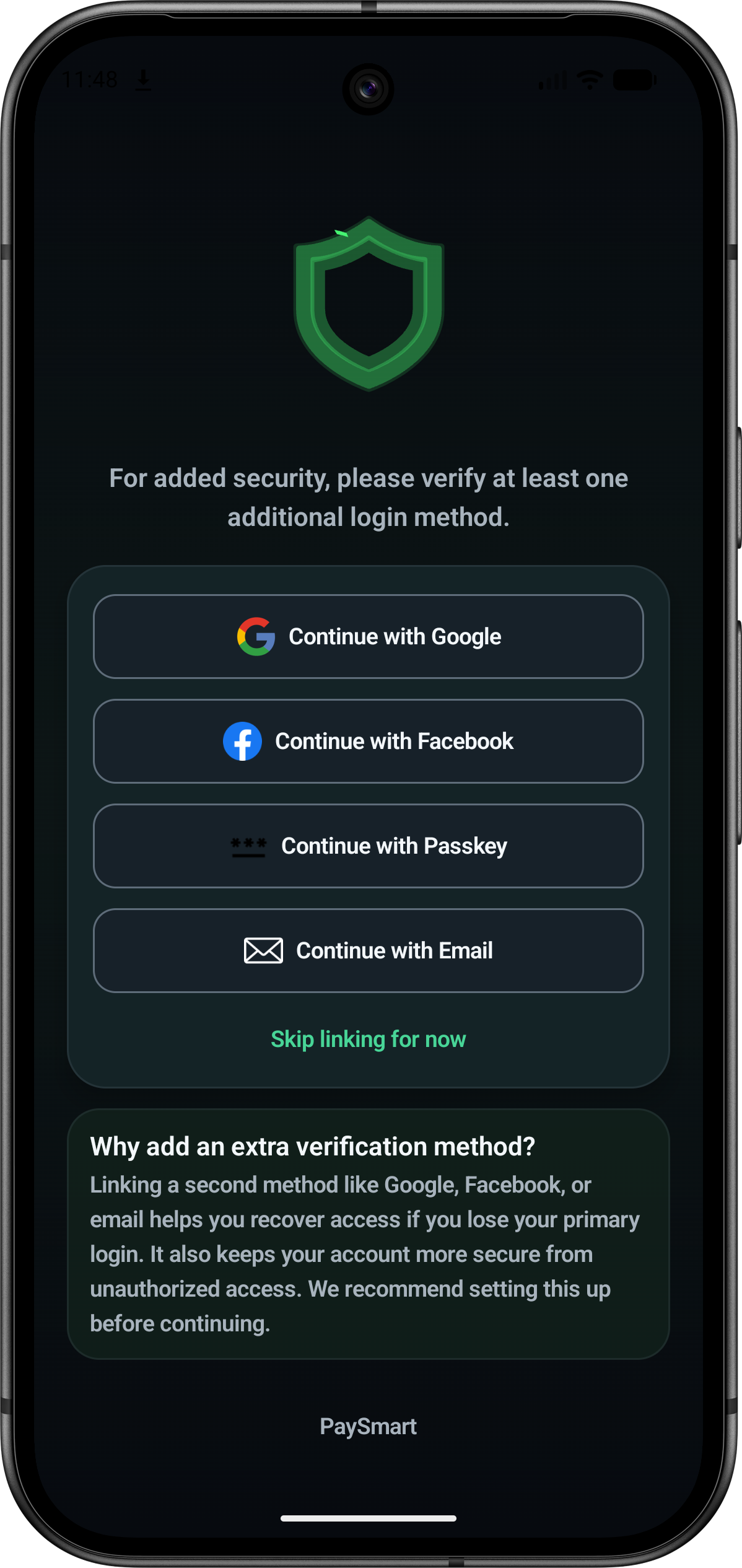
Account protection
Link a recovery method
Google, Facebook, passkey, and verified email can provide an additional durable sign-in and recovery route beyond the primary phone number.
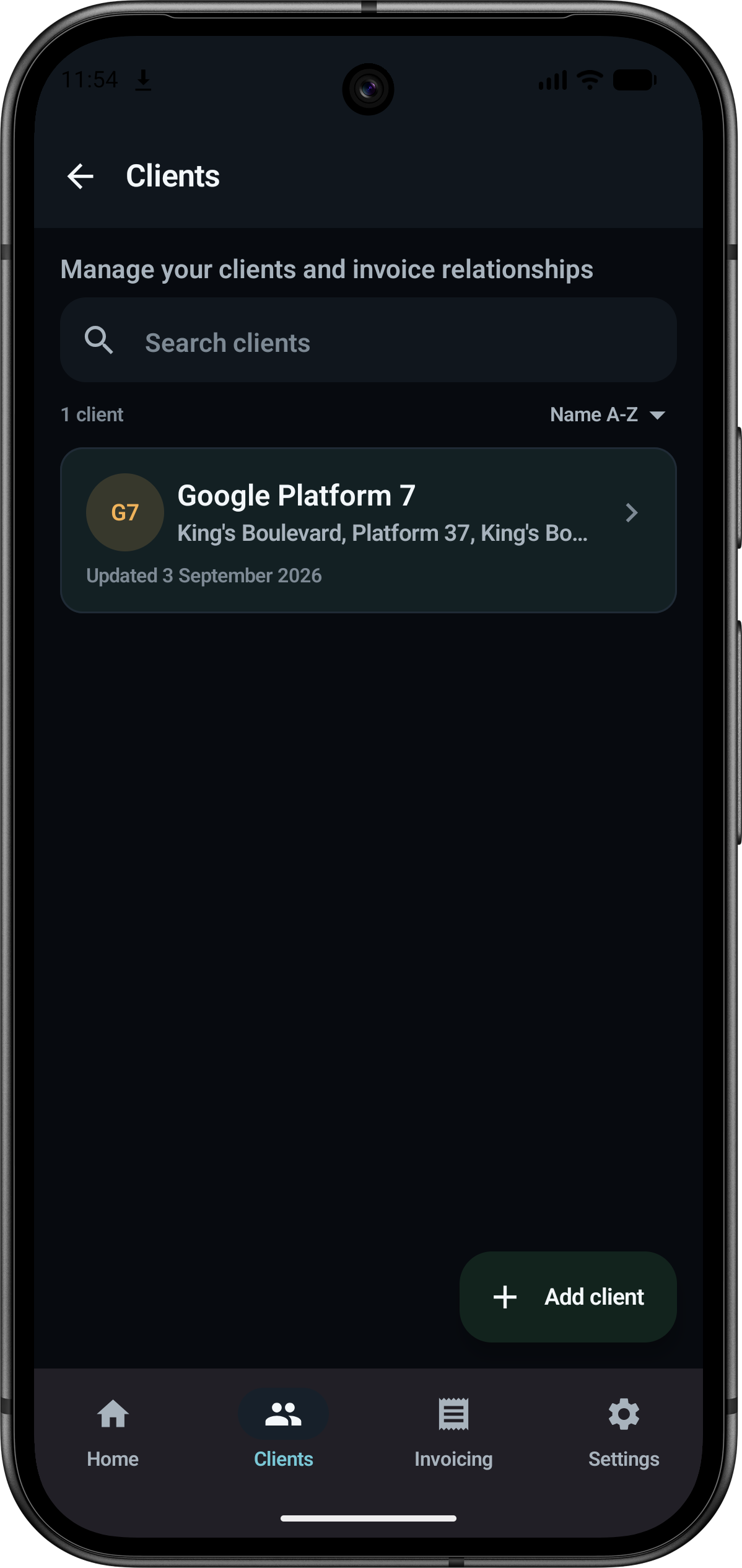
Clients
Invoice relationships at a glance
Client search, sorting, addresses, and update status keep invoice relationships easy to review and maintain.
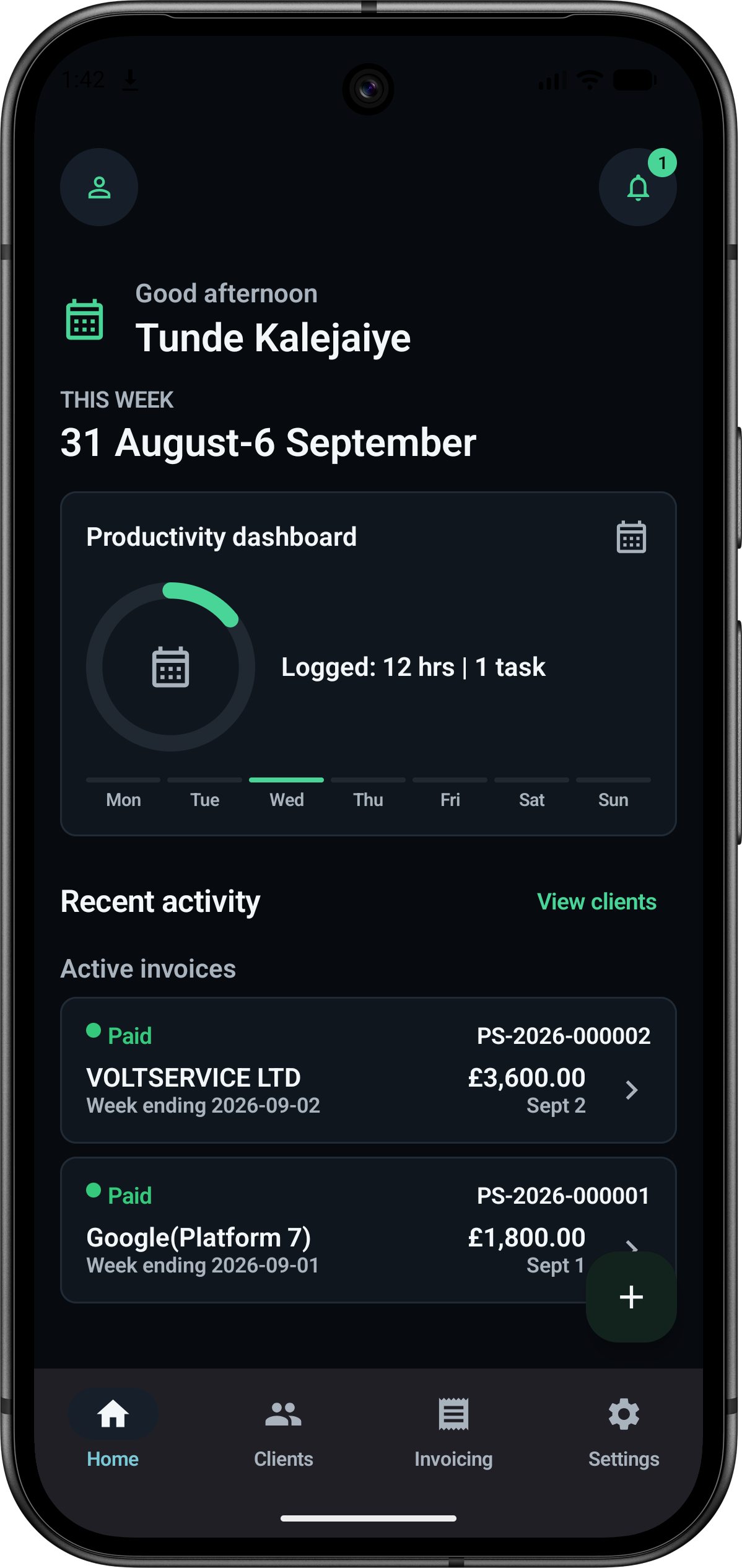
Productivity
Track hours and invoice activity
The home dashboard summarizes logged hours, weekly activity, active invoices, client access, and invoice status in one working view.
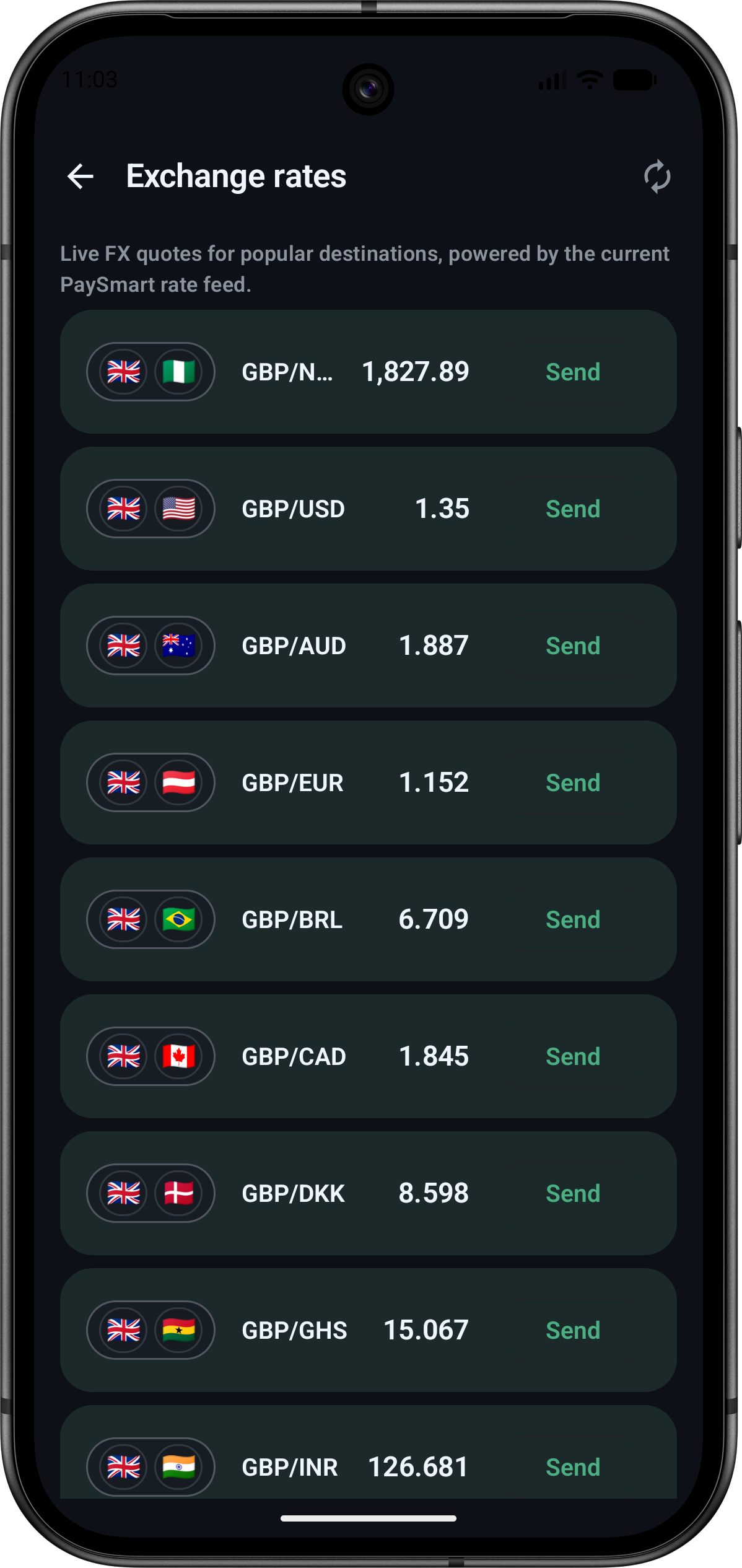
Live FX stays visible as a preview
The live-rate screen supports the public development story without implying that regulated transfers are live. It shows direction for future payment flows while invoices remain the free offer.
Rate discovery before money movement
PaySmart can show rate destinations, currency pairs, and send-entry intent as a product preview while provider payment work remains in test.
- FX pairs are visible in the app UI
- Send actions stay framed as future licensed flows
- The public roadmap can tie this view to provider testing
Live FX
Exchange-rate product surface
The screen presents popular destinations, current rates, and a clear action path for later payment integration.
Product strategy and development status
PaySmart now presents a clearer public path: invoices first, trust and account controls next, and regulated payment features only as license-dependent development work.
Invoice setup and draft capture
Invoice screens are the lead offer because they can provide useful value without requiring PaySmart to launch regulated money movement.
Open invoice sectionAddress, identity, and account readiness
Address confirmation, extra login methods, passkeys, profile controls, and privacy settings show the user-safety foundation around the product.
View verification workPayments, funding, and send flows
Stripe, Flutterwave, funding accounts, wallets, and send actions stay framed as provider testing and future licensed surfaces.
Review technical docsCurrent focus
Current delivery work is concentrated on the free invoice surface, verification readiness, account safety, and the supporting public update trail.
Active workstreams
- Free invoice setup, draft save, and structured invoice entry
- Address verification, map confirmation, and residency questions
- Identity verification and account protection flows
- Stripe sandbox and Flutterwave provider testing for future licensed payment surfaces
- Kotlin client + Room-backed sync path for payment state
- Public implementation backlog, release notes, and update feed
Delivery signals
- Invoice screens are promoted before any payment claims
- Address verification has a dedicated product section with the map screen
- Provider coverage remains described as testing while licensing is pending
- Identity, security, and account progress remain visible in docs and updates
- FX is presented as preview and roadmap context, not live money movement
Architecture and state ownership
Invoice, verification, and license-dependent payment routes stay separated so the public product page can be useful without overstating regulated features.
License-dependent payment path
- Free invoice screens remain separate from payment initiation.
- Android app requests a provider-specific add-money session when the payment flow is enabled.
- Functions API validates auth, payload shape, and idempotency.
- Provider-specific handlers talk to Stripe or Flutterwave.
- Webhook or status polling becomes the source of truth for final state.
- Wallet data mirrors back into user state and local client storage.
Kotlin app
Invoice screens, identity flows, local persistence, and payment tester UI.
→
Functions API
Route auth, create sessions, read statuses, enforce provider-specific contracts.
Stripe sandbox
Add-money checkout session and webhook settlement path.
→
Flutterwave test lane
Add-money session, webhook handling, and funding-account provisioning endpoints.
Firestore + wallet records
Sessions, balances, and wallet transactions remain server-owned.
→
Room mirror + UI sync
Client reads final state after backend confirmation.
For developers, reviewers, and early testers
Route names, delivery notes, and technical references stay visible for engineers, reviewers, and testers.
API surfaces visible in the repo now
- POST /payments/add-money/session for Stripe sandbox session creation
- GET /payments/add-money/session/:sessionId for final status reads
- POST /payments/flutterwave/add-money/session for provider testing
- GET /payments/flutterwave/funding-account and provision routes
- GET /api/quotes already exists ahead of the Kotlin FX slice
- /auth/identity/provider/* routes support provider handoff flows
POST /payments/add-money/session
Authorization: Bearer <idToken>
Idempotency-Key: add-money-001

{
  "amountMinor": 5000,
  "currency": "GBP"
}{
"sessionId": "sess_01J...",
"status": "pending",
"currency": "GBP",
"provider": "stripe",
"checkoutUrl": "https://checkout.stripe.com/...",
"expiresAtMs": 1772709600000
}Recent development updates
Recent updates track provider testing, security work, release slices, and the next implementation steps.
Loading updates...
Track progress in one place.
Architecture, docs, provider testing, and release progress stay in one place.